






AI Search Visibility
What Is AI Search Visibility, and How Should Ecommerce Stores Prepare?
What Google, OpenAI, Microsoft and Perplexity actually document about AI search, what a Shopify store controls, and a sensible way to prepare.
12 min read
Automation & Tools
AI is useful when it solves a specific problem. We design custom workflows that combine your existing systems, clear business rules and AI assistance where it genuinely adds value, so a process runs faster and your people check what matters instead of doing all of it by hand. This work is not limited to Shopify: if your business runs on other platforms, the same approach applies.
Illustrative AI inbox assistant with an invented customer: an email about a wrong size on order 10482 has been received, classified and drafted. The assistant understood it as an exchange, found the order and saw size L in stock, and drafted a reply. It now waits for a person to approve, edit or reject it, and nothing is sent until they do.
Illustrative example · example message and data, not a client'sRoutine reading, sorting and drafting is handled in minutes rather than hours, with your team reviewing the output instead of producing it.
The steps that need judgement stay with a person, so accuracy and accountability are not traded for speed.
Every automated step is logged, so you can see what was done, under which rule, and whether anyone approved it.
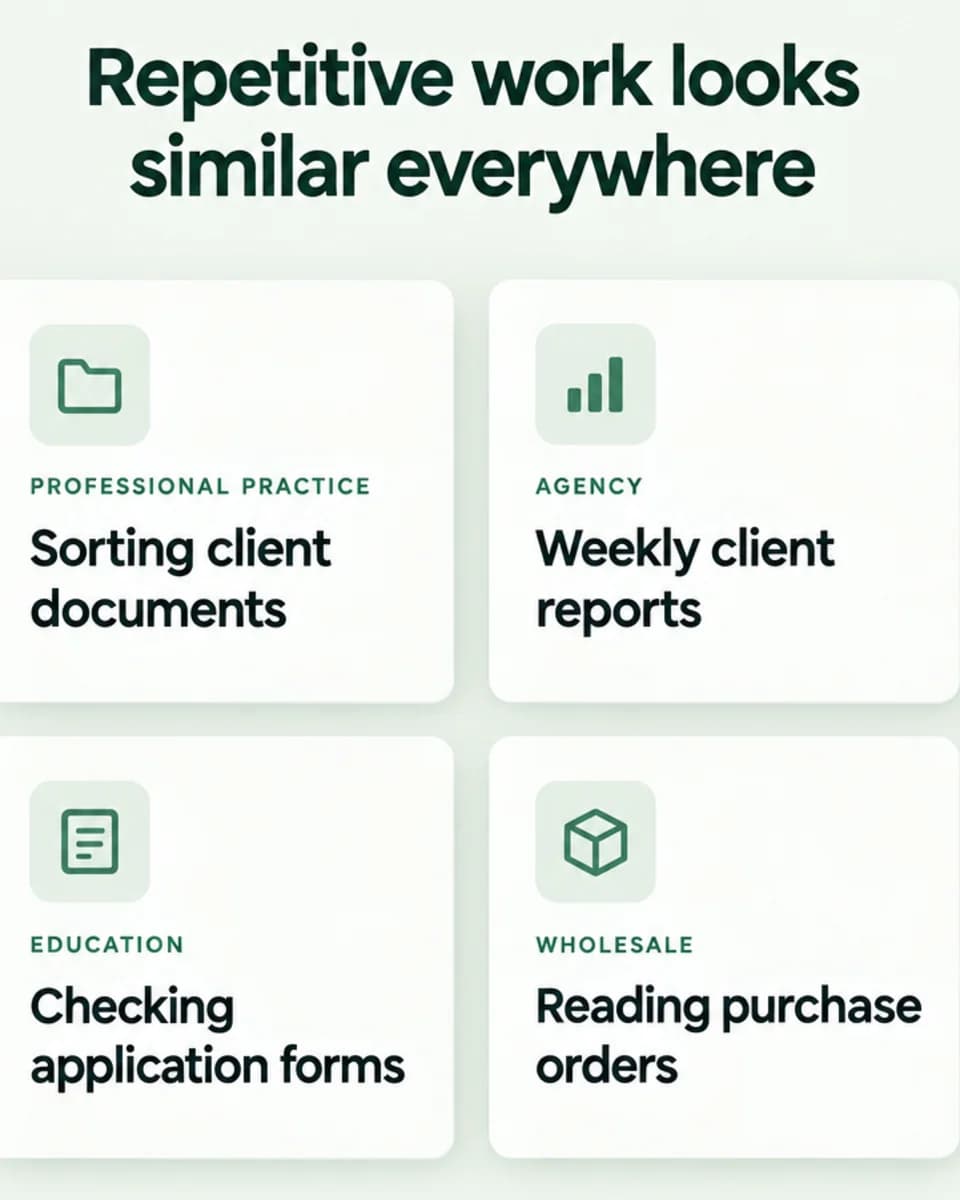
Illustrative examples of repetitive work in four kinds of business: a professional practice sorting client documents, an agency assembling weekly client reports, an education provider checking application forms, and a wholesaler reading purchase orders.
Illustrative example · typical tasksMost of our work is for Shopify merchants, but automation problems look much the same in a service business, a wholesaler or a professional practice: information copied between systems, documents that need reading and routing, reports that someone assembles by hand each week. If you don't use Shopify, we can still scope and build the workflow around the tools you do use.
Take a customer asking to swap a size. The work does not disappear: it moves. The assistant does the reading, looking up and first draft, and a person makes the call.
Illustrative comparison of the same task. By hand, a person opens each message, works out the request, looks up the order, checks stock, types a reply, and sends it. With an AI assistant, the AI reads and labels the message, finds the order and stock and drafts the reply; a person reviews and approves; the system sends it and logs it.
Illustrative example · a typical task, not a client'sIllustrative invoice extraction with an invented supplier: an invoice from Northfield Supplies, number INV-2291, for purchase order PO-1187, is read into checked fields. Supplier, invoice and purchase order are confirmed, but the total of £1,248.00 is £60.00 more than the purchase order total of £1,188.00, so it is flagged for review and the next step is to ask the supplier.
Illustrative example · invented supplier and amountsThese are illustrative examples of the kind of work we can scope and build. They are not descriptions of completed client projects; anonymised completed work is shown in our case studies.
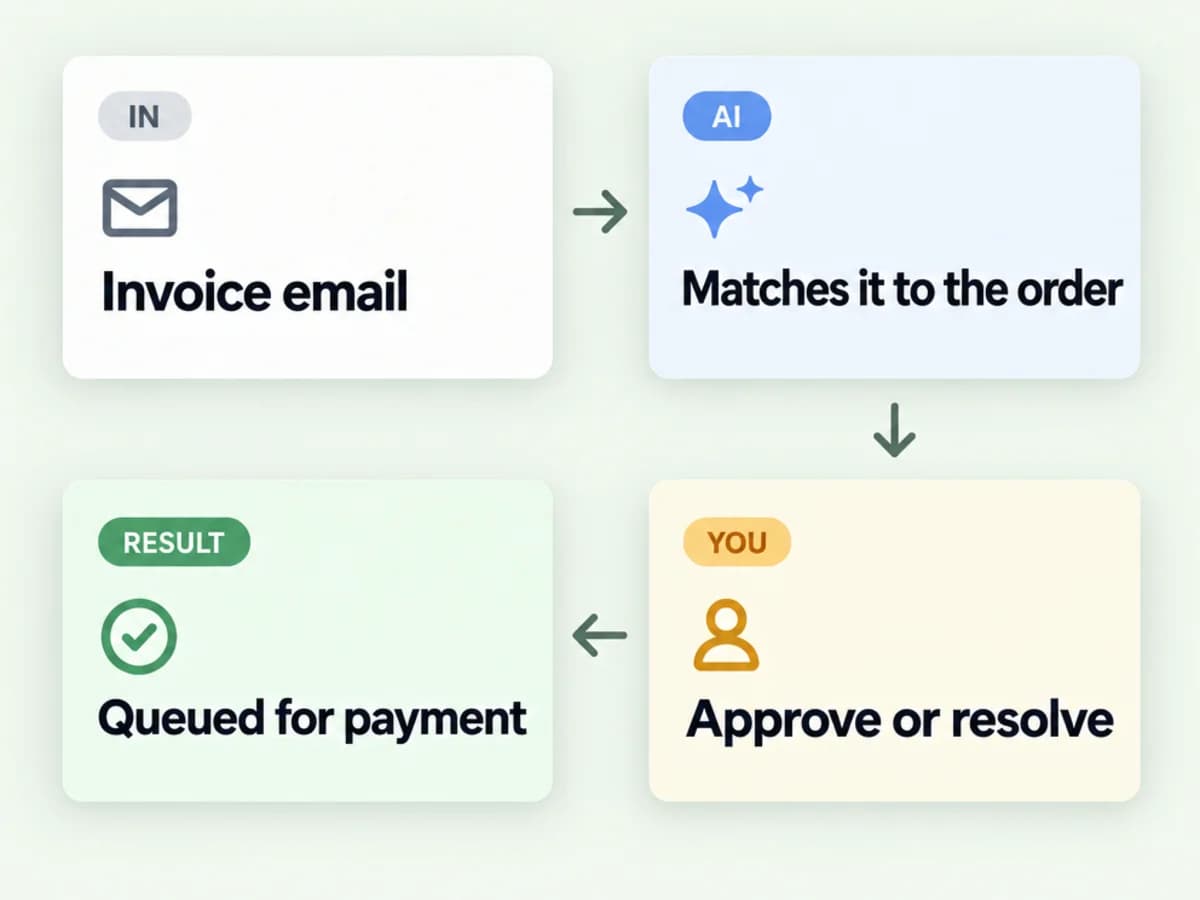
Invoice email, then AI matches it to the order, then you approve or resolve, then it is queued for payment.
Illustrative example
Invoices arriving by email are read, matched to purchase orders, and either queued for approval or flagged with the specific mismatch for a person to resolve.
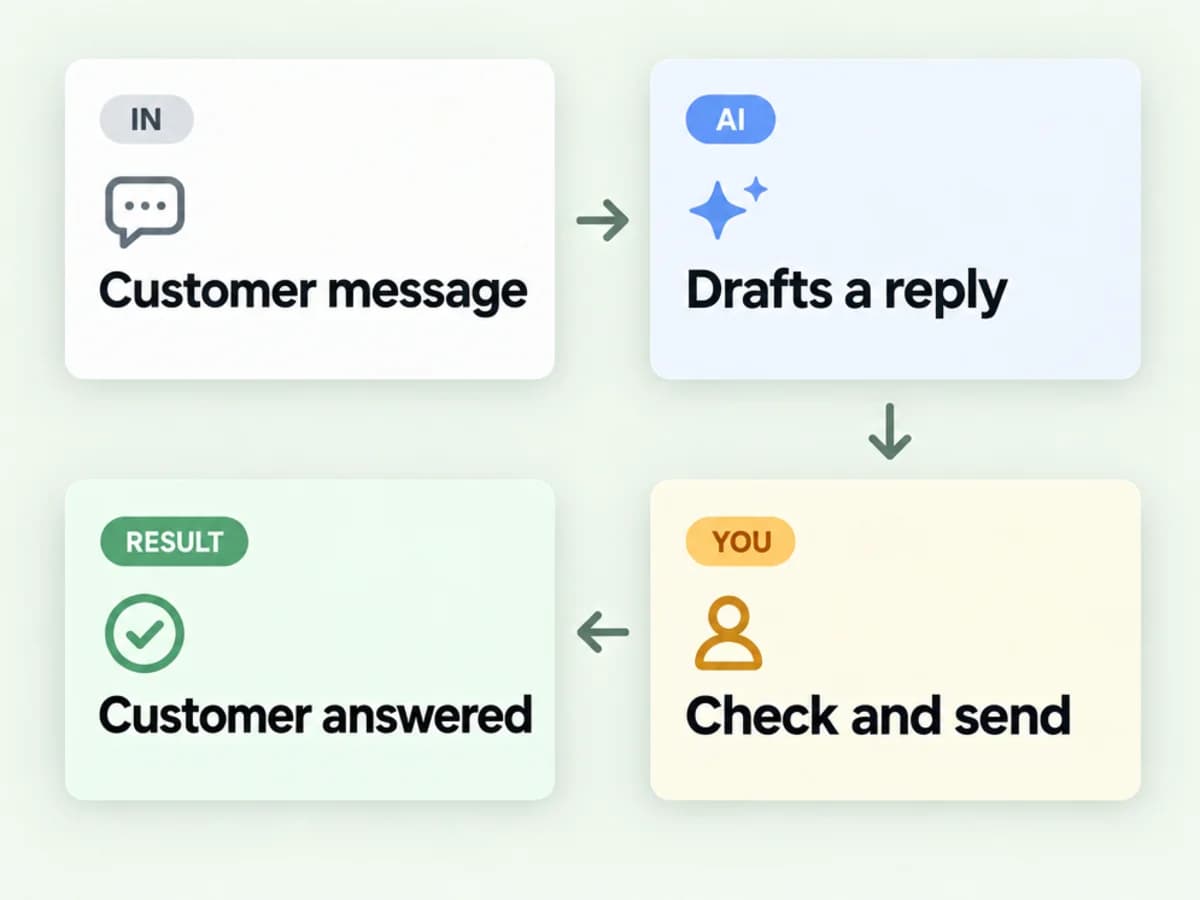
Customer message, then AI drafts a reply, then you check and send, then the customer is answered.
Illustrative example
Incoming messages are classified by topic and urgency, the relevant order details are looked up, and a draft reply is prepared for a team member to check and send.
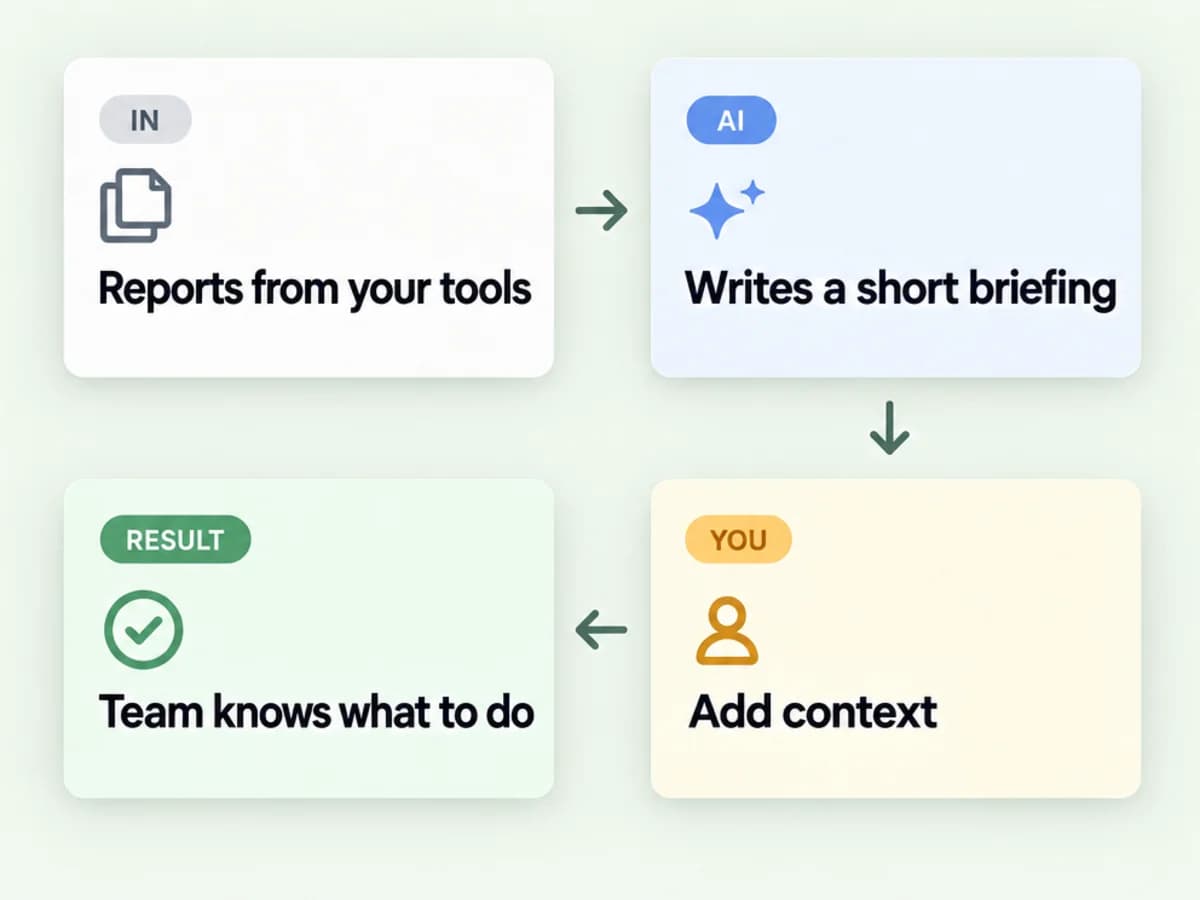
Reports from your tools, then AI writes a short briefing, then you add context, then the team knows what to do.
Illustrative example
Reports from several systems are condensed into a short briefing that highlights exceptions and trends, written for the people who need to act on them.
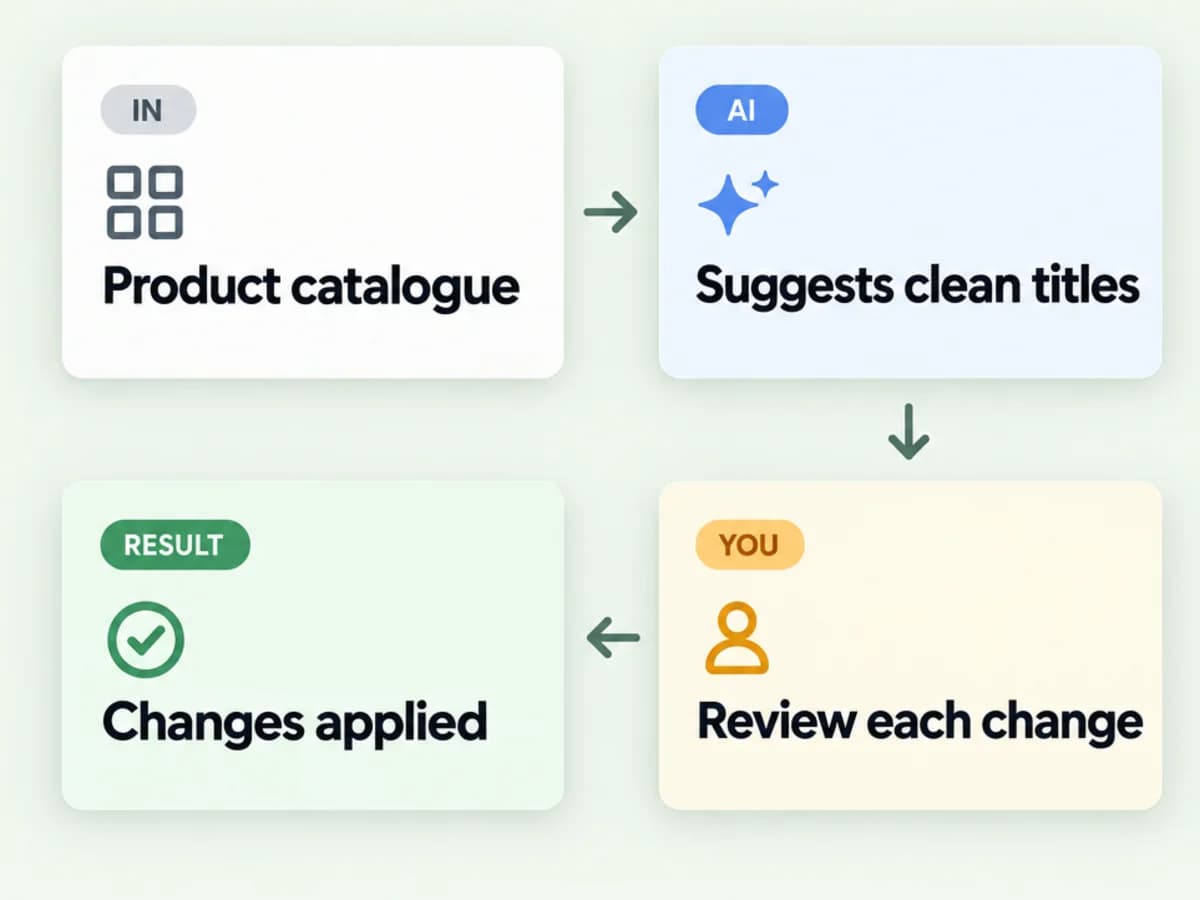
Product catalogue, then AI suggests clean titles, then you review each change, then the changes are applied.
Illustrative example
Inconsistent product titles, attributes and descriptions across a catalogue are standardised against your rules, with every proposed change reviewed before it is applied.
We consider privacy, access permissions, human approval, auditability and what happens when an automated step fails. Sensitive or high-impact decisions should retain appropriate human control.
Illustrative review queue with example items and the assistant's confidence for each: a wrong-size enquiry with high confidence and a draft ready, an invoice with medium confidence and a mismatch flagged, a message mentioning two orders with low confidence that was held for a person, and a weekly summary with high confidence that was approved. A note explains that the held message mentions two orders, so a person decides which one.
Illustrative example · example queue, not a client'sHow we keep AI reliable
Illustrative example · example dataReplies, payments and changes to records wait for approval wherever you decide they should.
When the input is unclear or a check fails, the workflow hands over to a person instead of guessing.
Figures and references are validated against your own records before anything uses them.
A task sends an AI service only what it needs, under providers and settings agreed with you.
You can see what happened, under which rule, who approved it and what failed.
AI services charge per use. We estimate the running cost before you commit and keep it visible.
Tell us what your team repeats, checks or copies between systems. We'll assess whether conventional automation, AI assistance or a combination is the sensible approach.
What your team repeats, how often, what it involves and where it goes wrong today.
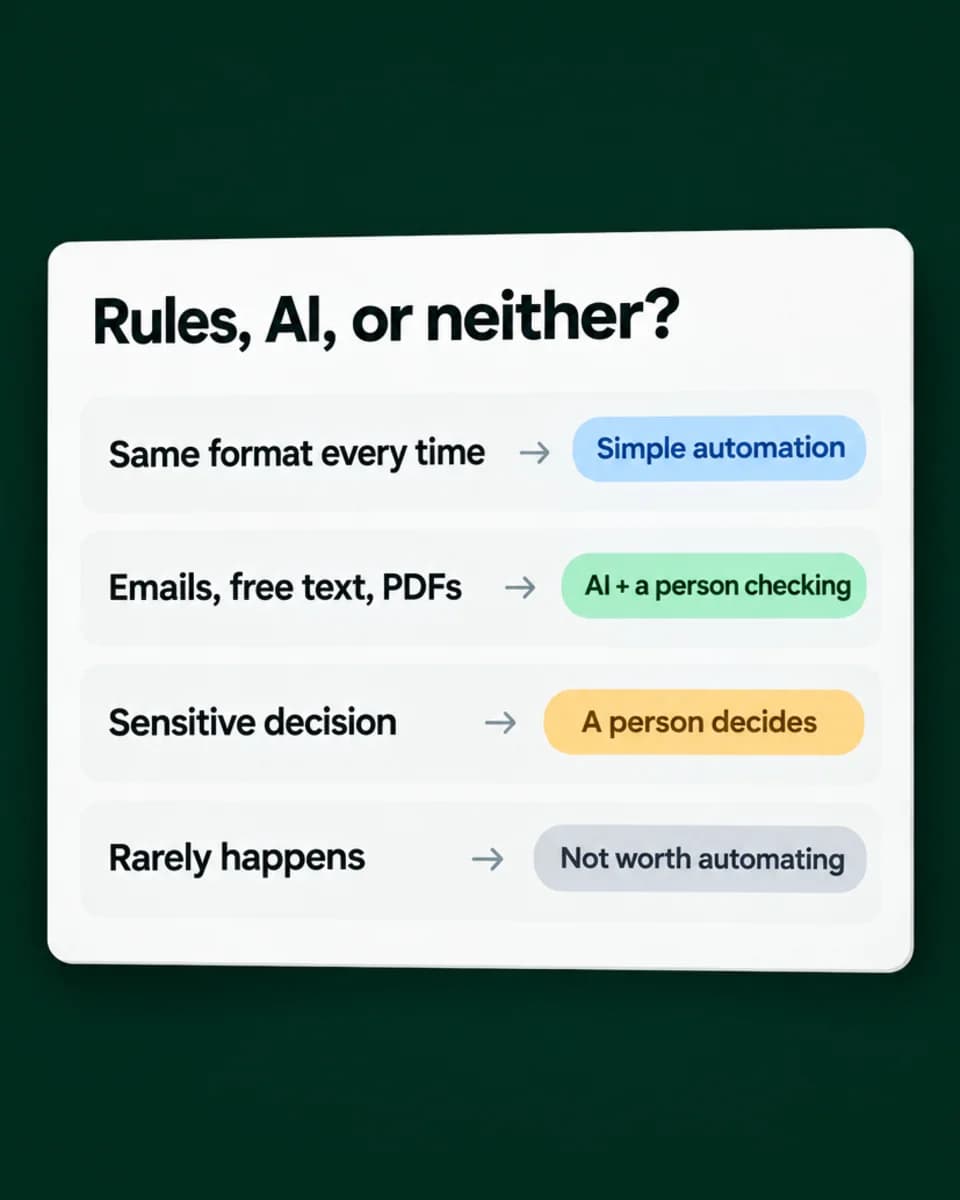
Conventional rules, AI, a mix, or nothing at all, and the points where a person must decide.
Start small, with every output checked by a person, so you can see how reliable it is on your own work.
Extend what proves reliable, with logs, alerts and the running costs kept in view.
Illustrative guide to choosing an approach: if the input has the same format every time, simple automation; for emails, free text and PDFs, AI with a person checking; for a sensitive decision, a person decides; if it rarely happens, it is not worth automating.
Illustrative example · general guidanceUsually not. We assess your existing tools and integration options first.
Yes. AI workflows and custom automation are scoped around whatever systems you already run. Shopify is one of many platforms we connect to.
Yes. We design appropriate validation and human review rather than treating AI outputs as automatically correct.
Data handling depends on the chosen architecture and providers. We'll discuss privacy and security requirements during scoping.
Automation & Tools
Connect Shopify to the systems your business relies on and reduce repetitive manual work.
Explore IntegrationsAutomation & Tools
Turn scattered operational data into useful reporting and practical custom applications.
Explore Business ToolsGuides and case studies that explain this work in more depth.
AI Search Visibility
What Google, OpenAI, Microsoft and Perplexity actually document about AI search, what a Shopify store controls, and a sensible way to prepare.
12 min read
Automation & ReportingAnonymised client project
Stock alerts, marketing triggers, multilingual workflows and reporting tools for a growing store, built around its email agency and watched by a run log and alerts.
View Case Study
Describe the task your team repeats most and roughly how long it takes each week. We'll tell you honestly whether it's a job for AI, for conventional automation, or for neither.
Tell us about the task and the tools you use. We'll review your enquiry and reply within one or two working days.
Helpful to include (no AI knowledge needed)