



Shopi5ProRequest a Quote

Automation & Tools

Make Your Shopify Systems Work Together.

Disconnected tools and repetitive tasks waste time and create mistakes. We design custom workflows and integrations that move the right information to the right place, giving your team back the hours spent re-keying data and chasing errors.

Illustrative map of an example store's connected systems: Shopify in the centre, linked to a warehouse (orders out, tracking numbers back), a supplier stock feed (stock levels every 15 minutes), a help desk (order details on each ticket), accounting (paid orders, refunds and payouts, with one refund flagged for review), a team channel (low-stock alerts) and a scheduled exceptions report each morning. Every link shows when it last ran. Example data, not a client's systems.

Illustrative example · example systems, not a client's
Illustrative map of an example store's connected systems, not a client's.

What This Means for Your Operations

  • Data moves itself

    Orders, stock and product data move between systems without someone copying them across by hand.

  • Mistakes are caught, not discovered

    Fewer mistakes from re-keying, and the ones that do happen are logged and flagged rather than discovered by a customer.

  • People do the judgement work

    Staff time goes on work that needs judgement, not on routine transfers between Shopify and your other tools.

What We Can Build

  • Shopify API integrations with permitted external systems.
  • Order, inventory and product-data synchronisation.
  • Automated reporting and notifications.
  • Customer-service and fulfilment workflow support.
  • Custom scheduled tasks and business rules.
  • Exception handling, logging and operational visibility.

Illustrative automation monitor for an example store: five automations with their last run, runs today and status. Four ran as expected; the accounting hand-off shows one failed run, expanded to show that a refund could not be posted because a tax code was missing, that the error was logged, the finance team notified, and the run will be retried after the fix. Example data, not a client's.

Illustrative example · example data, not a client's
Illustrative monitor with example runs. A failed step is logged, flagged and retried, not lost.

Examples of What We Can Build

These are illustrative examples of the kind of work we can scope and build. They are not descriptions of completed client projects; anonymised completed work is shown in our case studies.

  • Illustrative example

    Order to warehouse sync

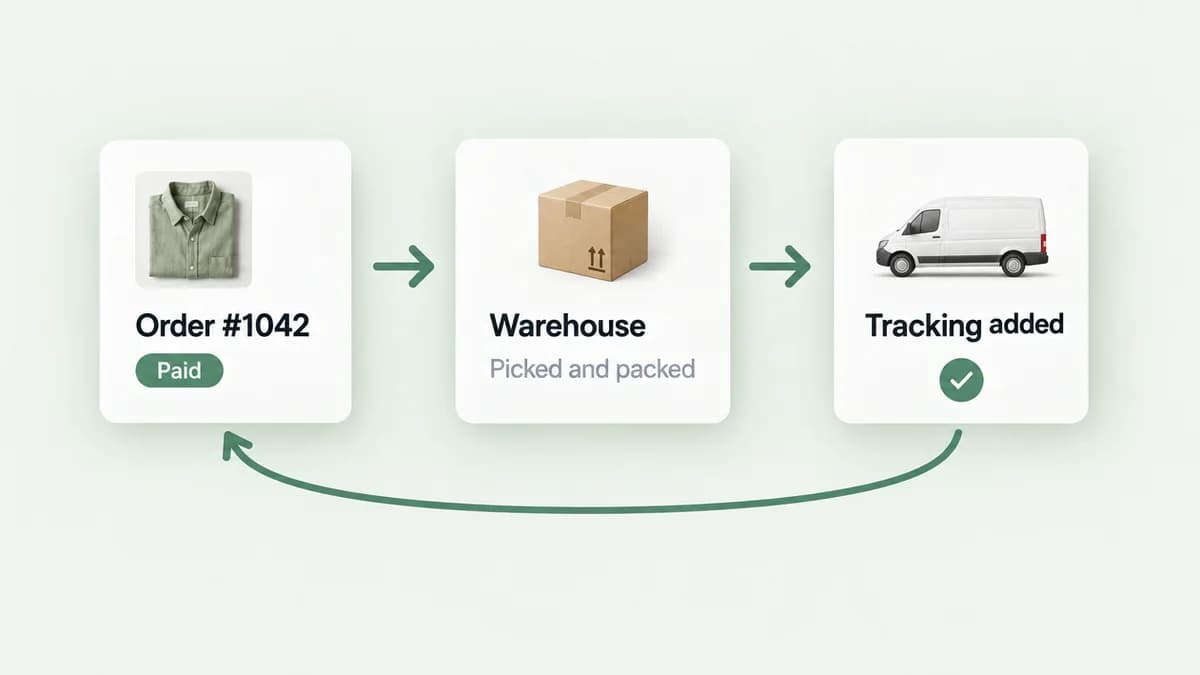
    New Shopify orders are sent to a warehouse or fulfilment provider's system, tracking numbers are written back to the order, and any order that fails to transfer is flagged to your team within minutes rather than being noticed days later.

  • Illustrative example

    Stock levels from a supplier feed

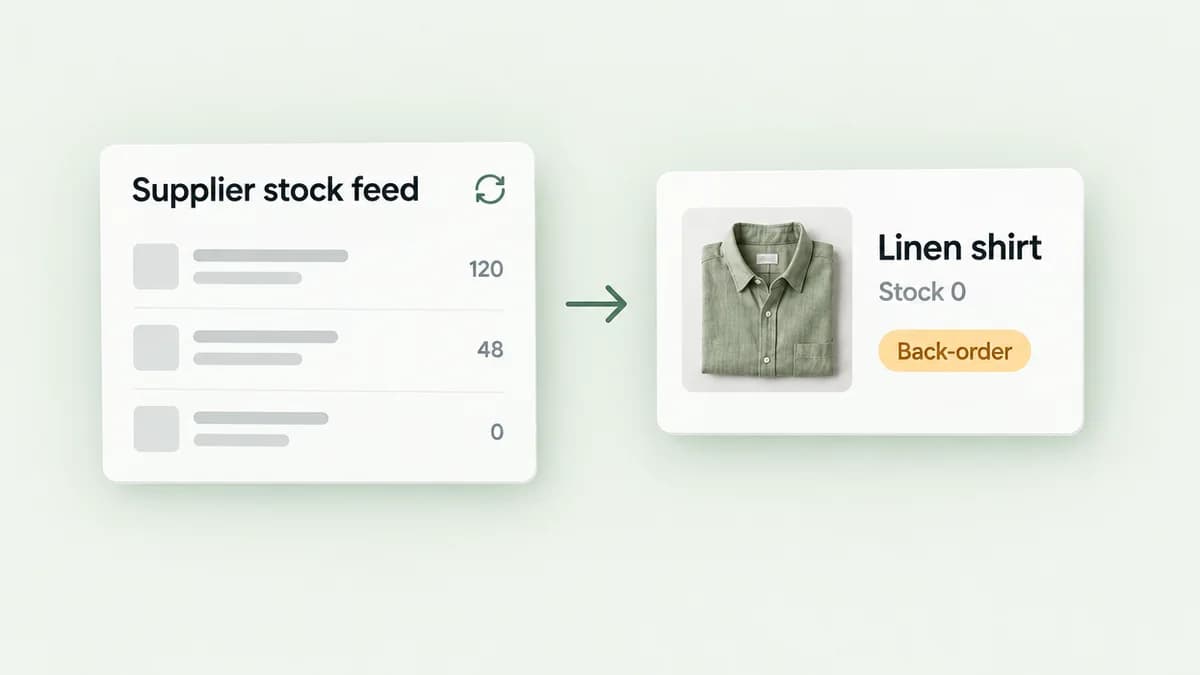
    A supplier's stock file or API is checked on a schedule, Shopify inventory is updated, and products that drop to zero are hidden or switched to back-order automatically.

  • Illustrative example

    Accounting hand-off

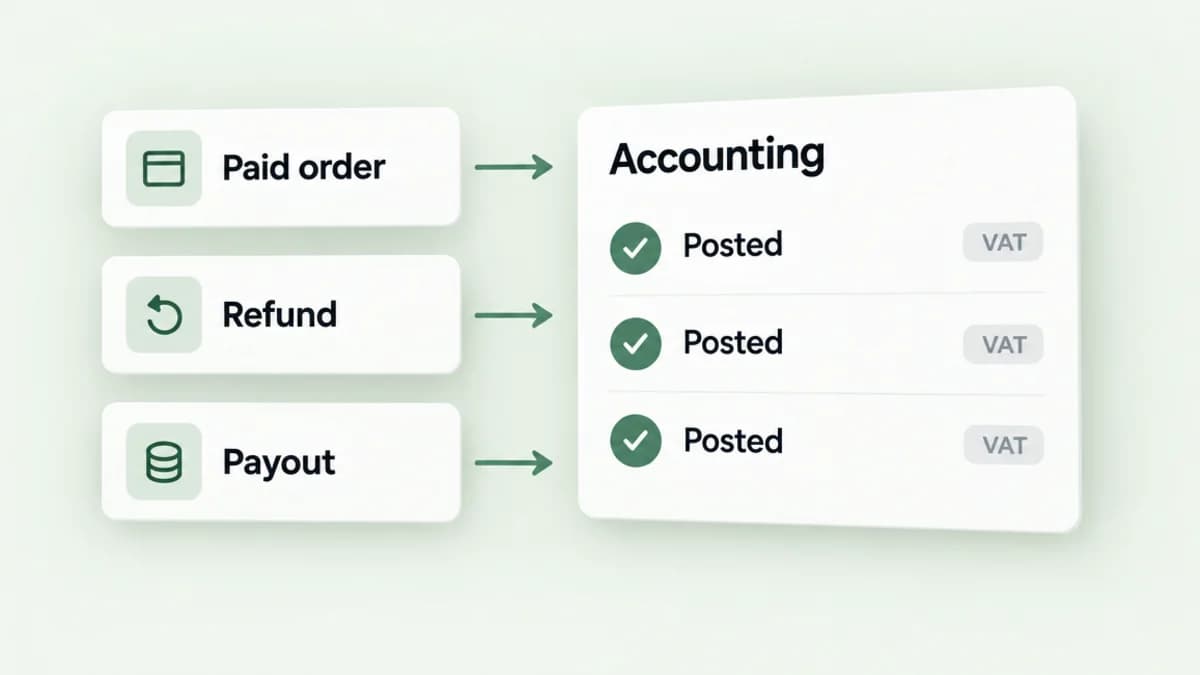
    Paid orders, refunds and payouts are posted to your accounting system with the right tax treatment, so month-end reconciliation starts from matching numbers.

  • Illustrative example

    Daily exceptions report

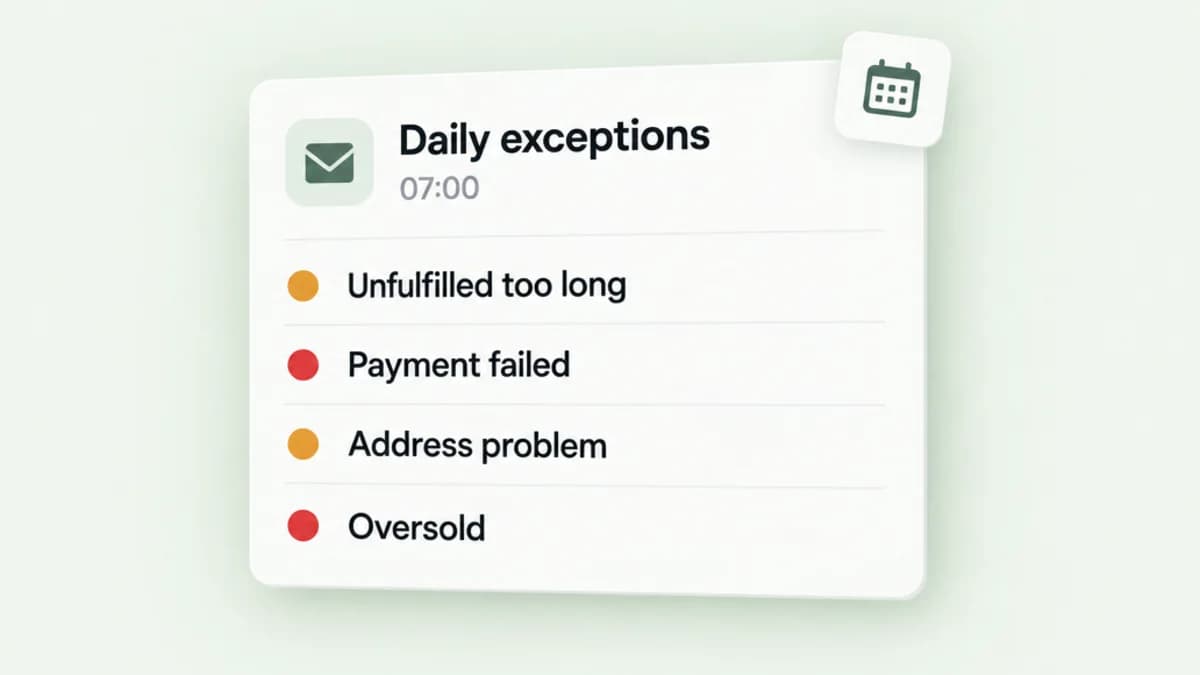
    Each morning your team receives a short list of orders needing attention: unfulfilled past the agreed window, failed payments, address problems or stock that oversold.

Built Around Your Workflow

We map the current process, identify failure points, define the data flow and implement an integration with appropriate error handling and access controls. An integration you can't see into is a liability, so visibility of what ran and what failed is part of the design.

  1. Map the current process

    We write down what happens today, step by step, including the workarounds, and where it goes wrong.

  2. Define the data flow

    Which records move, in which direction, how often, and what should happen when a system is unavailable.

  3. Build with guard rails

    Error handling, retries where they are safe, and the least access each system needs.

  4. Make it visible

    Logs, a run history and alerts, so you can see what ran, what failed and why, without asking us.

Frequently Asked Questions

Can you connect Shopify to our existing software?

Often yes, provided suitable APIs or supported data access are available. We'll assess feasibility before committing.

Do we need a third-party automation subscription?

Not necessarily. The architecture depends on your requirements, available APIs and ongoing maintenance needs.

How will we know if an automation fails?

Monitoring, logs and alerts can be included in the agreed scope.

All services
  • Automation & Tools

    Dashboards & Business Tools

    Turn scattered operational data into useful reporting and practical custom applications.

    Explore Business Tools
  • Automation & Tools

    AI Workflows

    Build tailored AI-assisted workflows with human oversight, clear safeguards and useful outcomes, for Shopify stores and for businesses that don't use Shopify at all.

    Explore AI Workflows

Further Reading

Guides and case studies that explain this work in more depth.

  • Automation & ReportingAnonymised client project

    Scattered Automations Brought Onto One Monitored Platform

    Stock alerts, marketing triggers, multilingual workflows and reporting tools for a growing store, built around its email agency and watched by a run log and alerts.

    View Case Study

Discuss an Integration

Tell us which systems need to talk to each other and what your team currently does by hand. We'll check what the APIs allow and come back with a scope and a quote.

Tell us about your store and what you need. We'll review your enquiry and reply within one or two working days.

Helpful to include

  1. Which systems are involved: the names of the apps, platforms or spreadsheets.
  2. What your team does by hand today, and roughly how often.
  3. What should happen automatically, and who needs to know when something fails.

Enquiry about: Automations & Integrations

Tell us what's happening, what you'd like to achieve and anything relevant about your setup. At least 30 characters.

Please don't include passwords, API keys or sensitive customer data in this form.

Prefer the full form? Use the contact page